What Is an IMEI Number?
An IMEI is normally a 15-digit identifier for cellular equipment. Learn what its parts mean, where to find it, and how to use it safely in reports and device checks.
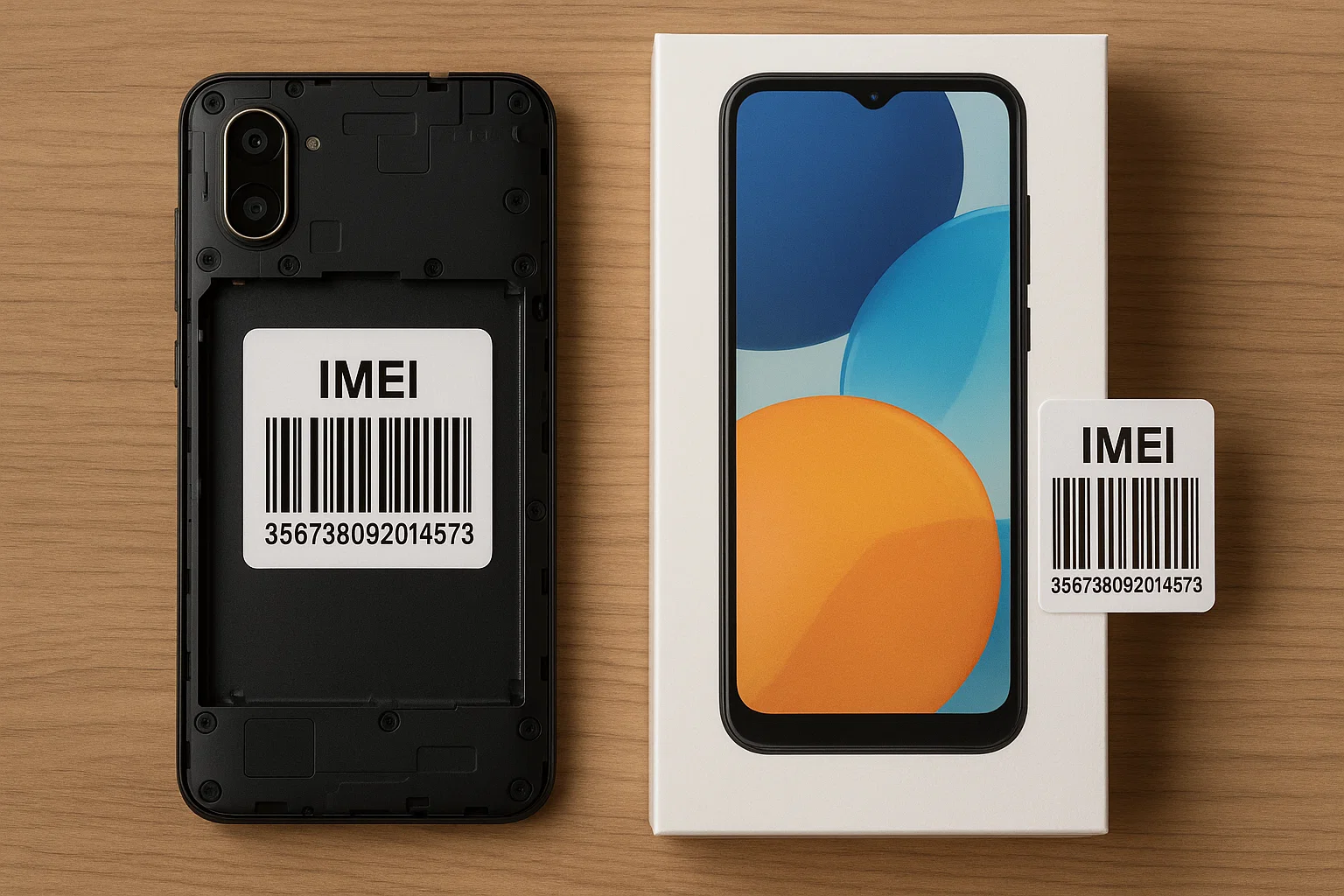
IMEI definition and structure
IMEI stands for International Mobile Equipment Identity and is normally 15 digits long: an eight-digit TAC (Type Allocation Code), a six-digit serial portion, and a final check digit calculated with the Luhn algorithm. The TAC identifies an equipment type; the serial portion identifies equipment within that allocation. See the IMEI format specification.
The check digit helps detect typing errors. Passing that check does not prove that the identifier is genuine, belongs to the phone in front of you, or has no reports against it. This site's form checks for 15 digits; it does not certify the allocation or ownership.
Where to find the IMEI
- On iPhone, open Settings > General > About. Follow Apple's identifier instructions if you cannot use the phone.
- On Android, look under Settings > About phone or Device information; menu names vary. Google gives Pixel-specific instructions.
- On many phones, dial *#06#. Record each IMEI shown, keeping any IMEI 1 / IMEI 2 labels.
- The original box may have an identifier label. Some older phones have one beneath a removable battery; do not open a sealed phone to look for it.
Dual SIM and eSIM: why two IMEIs can be correct
Some phones support two cellular connections and show IMEI 1 and IMEI 2. These are different identifiers, not a mismatch to correct. For example, Google explains the two IMEIs on supported Pixel phones using physical SIM and eSIM. The mapping depends on the model and setup; do not assume every saved eSIM profile has its own IMEI.
IMEI, serial number, ICCID and phone number
- IMEI: identifies cellular equipment.
- Manufacturer serial number: identifies the product in the manufacturer's system and is separate from the serial portion of an IMEI.
- ICCID: identifies a SIM card or eSIM profile, rather than the handset.
- Phone number: identifies the service line and can move between devices.
Why the IMEI matters
The IMEI links a handset to warranty claims, carrier blocklists, and lost-phone alerts. When you submit it to My Phone Finder, a later search for the same IMEI can reveal your note and contact e-mail.
Use the IMEI safely
- Never pay a site that promises instant GPS access from an IMEI. My Phone Finder receives no physical location data.
- Share the IMEI only with recovery partners you trust to prevent phishing attempts.
- Search the community database or use the separate registration form.
- Keep the identifier with ownership evidence for carrier or police reports.
Put the number to work
If a device disappears, you can add its 15-digit IMEI with a short factual note and contact email. Before buying a used phone, compare the IMEI in the community lookup, while remembering that this is not an official blacklist.
An open IMEI lookup here cannot establish a live location, a subscriber's identity, official blacklist status or ownership. Before a purchase, use the phone inspection checklist alongside the result.
Check an IMEI in our community database
Enter a 15-digit IMEI to look for a matching community-submitted record. This lookup does not provide a phone's live location.